AI Dashboards

Dashboard builder. Widget editor. AI-powered.

Run a pipeline, describe what you want to see, and AI builds a complete dashboard from the results. A rich library of out-of-the-box widgets, a drag-and-drop dashboard builder, a dedicated widget editor, smart field mapping, and deep integration with AI chat and agentic pipelines.

Custom
Widget builder
AI
Generated layouts
Drag
& drop grid editor
Dashboard Editor

Dashboard builder and widget editor

A full-page drag-and-drop dashboard builder with widget palette, inspector panel, and data source picker. Build dashboards manually, design custom widgets in the dedicated widget editor, or let AI generate complete layouts from pipeline results. Dashboards integrate directly into AI chat—your agentic pipelines can trigger, update, and surface dashboards in real time.
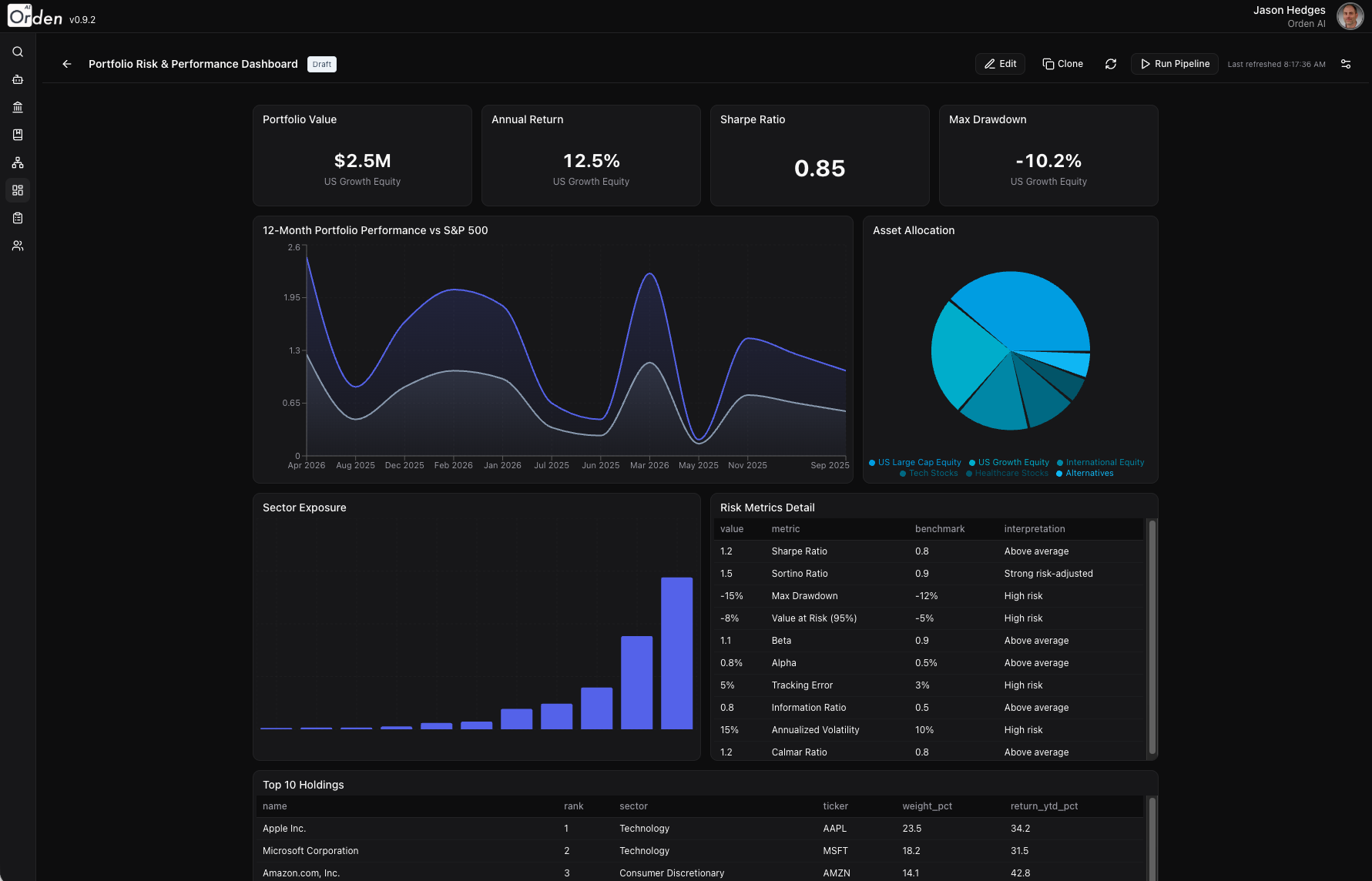
AI Dashboard Editor with drag-and-drop widgets

Full-page dashboard editor with widget palette and data source picker
Widget Types

Out-of-the-box widgets, plus build your own

A growing library of ready-to-use widget types—from simple stat cards to interactive geo maps—plus a widget builder for creating custom visualizations tailored to your data.

Stat Card

Key metrics with trend indicators

Bar Chart

Categorical comparisons

Line Chart

Time series and trends

Area Chart

Volume and cumulative data

Pie Chart

Proportional distribution

Scatter Chart

Correlation and clustering

Radar Chart

Multi-variable comparison

Table

Sortable data grid

Number KPI

Single metric spotlight

Text / Markdown

Rich text annotations

Geo Map

Geographic data visualization

Progress Bar

Goal tracking and completion

List Feed

Activity streams and feeds

AI-Powered Generation

Describe what you want. AI builds the dashboard.

After a pipeline execution completes, open AI chat and describe the dashboard you need. AI introspects the output data, selects appropriate widget types, maps fields, and generates a complete layout.

Natural Language to Dashboard

Describe your visualization needs in plain English. AI selects widget types, maps data fields, and arranges the layout automatically.

Data-Aware Field Introspection

AI analyzes your pipeline output—field names, types, value ranges—to make intelligent decisions about how to visualize each dimension.

Integrated with AI Chat & Pipelines

Dashboards appear as slide-outs in AI chat when pipelines complete. Pin them to My Dashboards with one click. Agentic pipelines can trigger dashboard updates, so your data visualizations stay current as workflows run.

AI Dashboard Generation

AI chat creating a dashboard from pipeline execution results

Smart Data Mapping

Connect any pipeline output to any widget

The Data Source Picker makes it easy to browse pipeline execution outputs, discover available fields, and map them to widget axes and dimensions.

Visual Field Picker

Browse pipeline execution outputs with automatic type detection. See field names, data types, and sample values at a glance.

Automatic Type Inference

The system detects whether fields are numeric, categorical, temporal, or geographic—and suggests appropriate visualizations.

Enriched Field Info

See field statistics, unique value counts, and data distributions to make informed mapping decisions.

Data Source Picker

Visual field browser with type detection and sample values

Widget Library

Build, share, and reuse widgets across dashboards and AI chat

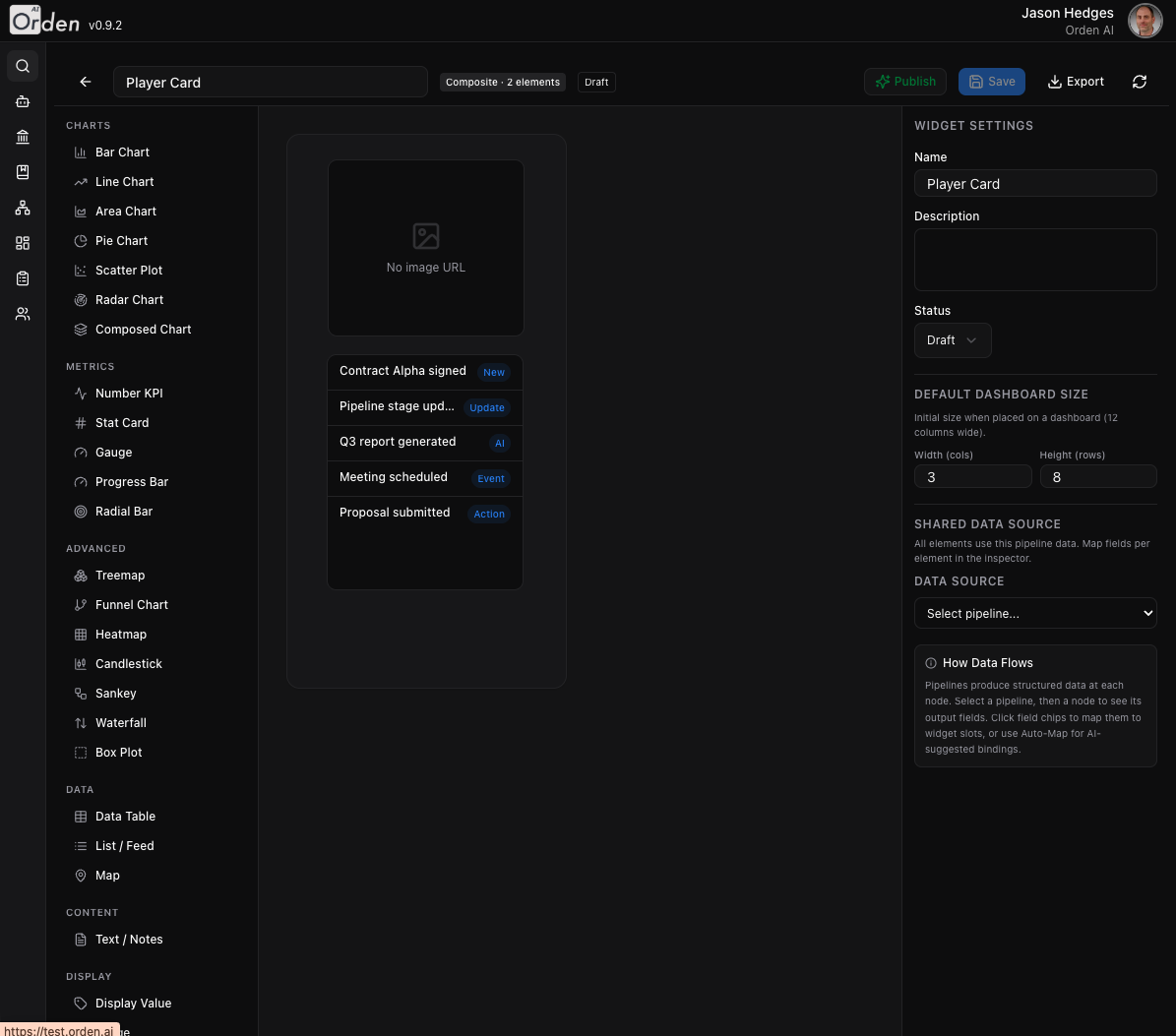
Create standalone widgets in a dedicated editor with live preview. Save to a shared library, then materialize into any dashboard or surface them directly in AI chat conversations alongside your LLM interactions.

Live Preview Editor

Configure widget type, data source, and styling with instant visual feedback. See exactly how your widget will look before saving.

Widget Sharing

Share widgets with specific users or your entire organization. Control who can view, edit, or duplicate your widgets.

Dashboard Materialization

Pull widgets from the library into dashboards via the "From Library" tab. Widgets maintain a reference link for synchronized updates.

Export & Import

Export dashboards as .orden-dashboard.json files with all widget configurations and pipeline dependencies bundled together.

Widget builder with live preview and configuration panel

Widget editor with live preview and configuration panel

Ready to see Orden in action?

Schedule a personalized demo with our team and we'll show you exactly how Orden fits your use case.

Request a Demo Contact Sales